Imagine your home in the morning. Lights gently turn on. The fan adjusts itself. The geyser is already warm. And you didn’t touch a single switch. This isn’t a futuristic concept anymore. This is what happens when your entire home is connected to one Zeswin smart app.
The Problem With Too Many Switches and Too Many Apps
Let’s be honest, modern homes are getting smarter, but also more complicated. Different switches. Different remotes. Different apps for different devices. Instead of simplifying life, technology sometimes adds more effort. That’s where one powerful smart home app changes everything.
Imagine Your Home, All in One Place
Now imagine opening one app on your phone and seeing your entire home:
- Lights
- Fans
- AC
- Geyser
- Smart plugs
- Curtains
- Scenes & automations
Everything visible. Everything controllable. Everything connected. That’s what a unified smart home app is designed for control without chaos.
One Tap. Multiple Actions.
In a traditional home, controlling devices is a step-by-step task. In a Zeswin smart home app, it’s just one tap. Imagine this:
You tap “Good Morning”, and your home:
- Turns ON selected lights
- Switches OFF night lamps
- Heats water using a smart plug
- Sets the perfect ambience to start your day
This is called a scene and it’s where smart homes truly feel human.
Control Your Home From Anywhere
Ever left home and wondered: “Did I turn everything off?” With a single Zeswin smart app, distance doesn’t matter. From your phone, you can:
- Turn OFF appliances from office
- Check device status while travelling
- Monitor power usage remotely
Your home stays connected to you no matter where you are.
Your Home Starts Following Your Routine
The real power of a Zeswin smart app isn’t manual control. It’s automation. Imagine your home knowing:
- What time you wake up
- When you leave for work
- When you usually sleep
Based on this, the app can:
- Automatically turn devices ON or OFF
- Adjust settings without reminders
- Save electricity without affecting comfort
Your home stops waiting for commands it starts working on its own.
Voice, Touch, or Schedule You Choose
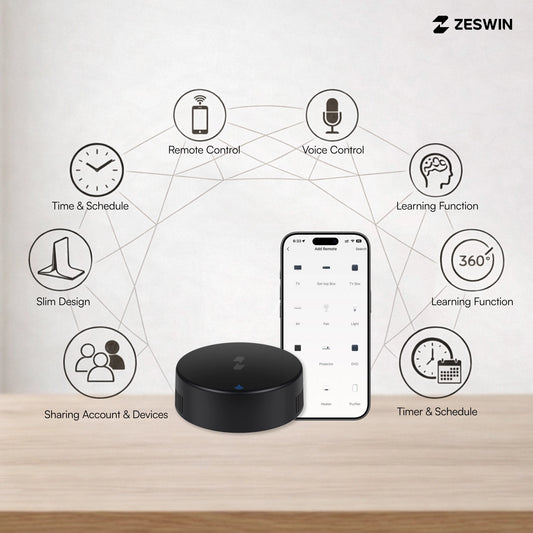
Some days you tap. Some days you talk. Some days you let automation handle everything. A single smart home app allows:
- Manual control
- Voice control through assistants
- Time-based scheduling
- Location-based automation
Your home adapts to your lifestyle, not the other way around.
Energy Awareness in Real Life
Most homes waste electricity simply because:
- There’s no visibility
- There’s no control
A smart app brings clarity.
You can:
- Track real-time energy usage
- Identify high-consuming devices
- Reduce unnecessary power consumption
Saving electricity becomes a habit not a task.
Imagine your home responding instantly. Imagine fewer switches. Imagine fewer worries. When everything works quietly in the background, you feel it every day. That’s not luxury. That’s smart living done right.
Final Thought
A single app doesn’t just control your home.
It gives you:
- Time
- Control
- Peace of mind
And once you experience that, there’s no going back.
Welcome to a smarter way of living the Zeswin way.
Frequently Asked Questions (FAQs)
1. What does it mean to control my entire home with one app?
It means you can control all your smart devices lights, fans, AC, geyser, smart plugs, curtains, and scenes from a single mobile app, instead of using multiple switches or different apps for different devices.
2. Do I need different apps for different smart devices?
No. With a unified smart home setup, one app is enough. All compatible devices connect to the same app, making control simple, organized, and stress-free.
3. Can I control my home when I’m not at home?
Yes. A smart home app allows you to control your home from anywhere office, travel, or another city as long as you have internet access on your phone.
4. Can one app really control multiple rooms at once?
Yes. You can control entire rooms or the whole house at once using:
- Scenes (like Good Morning, Movie Time, Good Night)
- Group controls
- Scheduled automations
One tap can manage multiple devices together.
5. Does the app support voice control?
Yes. Most smart home apps support voice assistants like Alexa and Google Assistant, allowing you to control devices hands-free using simple voice commands.